Routes
Routes are how a request lands on a deployment. Each route is a tuple — domain, path, target — and the platform matches the longest path prefix and forwards from there.
The Routes page#
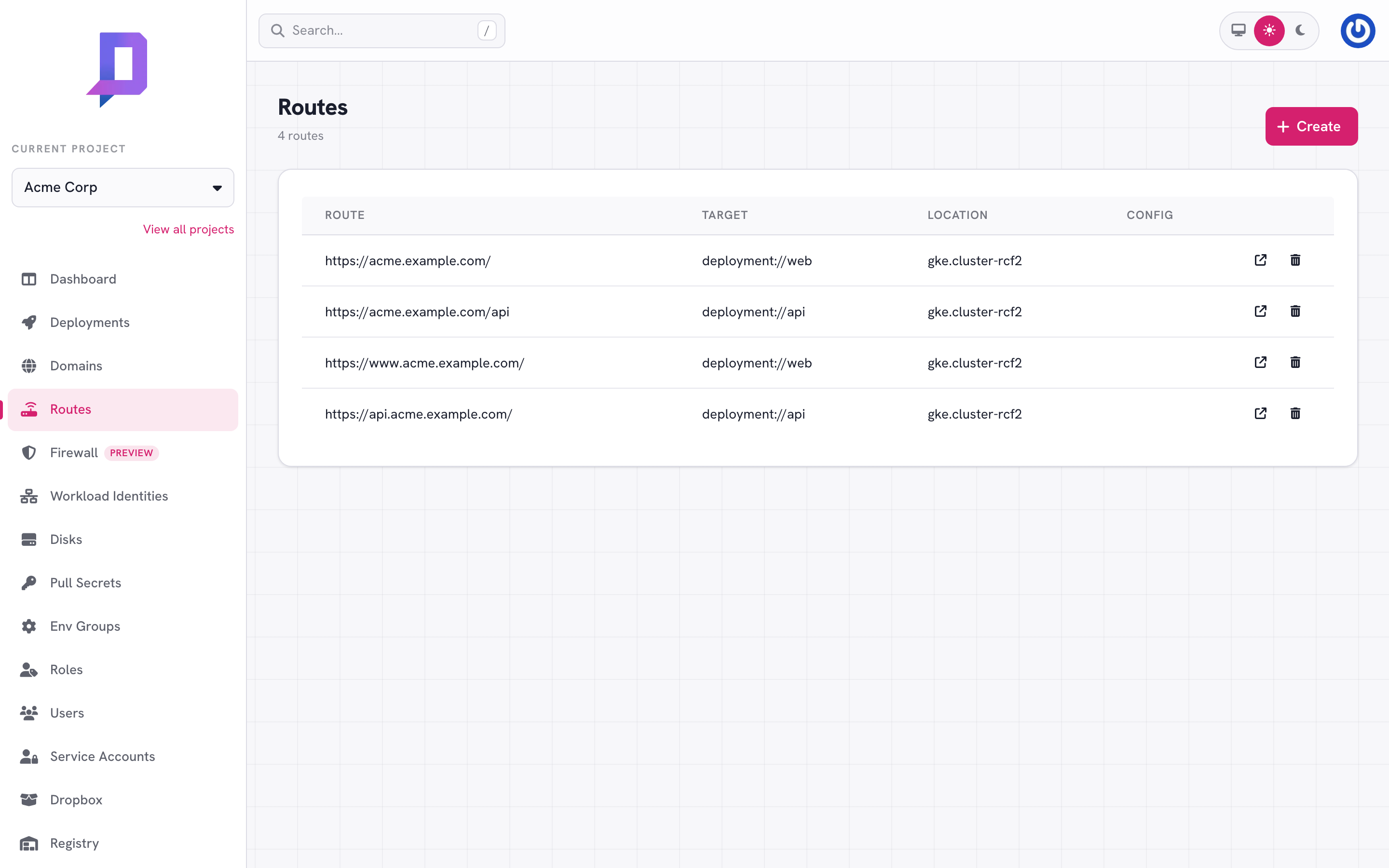
The Routes tab lists every route in the project. Each row shows the full
request URL (https://<domain><path>), the target deployment, the location,
and any extra route config.
Route a domain to a deployment#
The simplest case — (domain, path) → deployment:
deploys route create \
  --project acme --location gke.cluster-rcf2 \
  --domain acme.example.com --path / \
  --deployment web
path is matched as a prefix. With both / → web and /api → api on the
same domain, a request to /api/v1/users is forwarded to api (longest match
wins).
Routes by path#
You can split a single domain across deployments by path:
| Route | Target |
|---|---|
acme.example.com/ | web (the marketing site) |
acme.example.com/api | api (the JSON API) |
acme.example.com/admin | admin (the back-office UI) |
The platform strips the matched prefix before forwarding — api receives the
request at /v1/users, not /api/v1/users.
Target types#
A route’s target decides where a matched request goes. The console offers
three types when you create or edit a route:
| Type | target value | What it does |
|---|---|---|
| Deployment | deployment://<name> | Forward to an in-cluster deployment (the common case). |
| Redirect | redirect://https://example.com | Return an HTTP redirect to the given URL. |
| External server (HTTP) | http://<ip>[:port] | Front a server you run yourself — see below. |
Routes with config (v2)#
The routeV2 flow lets you set any of the target types above and attach extra
request handling:
target— one of the target types in the table above.config.basicAuth— a username + password the gateway checks before forwarding.config.forwardAuth— a separate endpoint the gateway calls first; if it returns 2xx the request is forwarded, otherwise the response is returned to the client. Request and response headers can be whitelisted viaauthRequestHeaders/authResponseHeaders.
curl https://api.deploys.app/route.createV2 \
  -H "Authorization: Bearer $DEPLOYS_TOKEN" \
  -d '{
    "project": "acme",
    "location": "gke.cluster-rcf2",
    "domain": "internal.acme.dev",
    "path": "/admin",
    "target": "deployment://admin",
    "config": {
      "basicAuth": { "user": "ops", "password": "…" }
    }
  }'
External server (HTTP)#
Point a verified domain at a server you run yourself — anywhere with a public
IP — and let the platform’s edge sit in front of it. You bring the compute; the
edge gives you the managed TLS certificate, the Firewall,
and a stable place to attach basicAuth / forwardAuth. This is the
“bring your own server” path for hosts that don’t (yet) run as a deployment.
curl https://api.deploys.app/route.createV2 \
  -H "Authorization: Bearer $DEPLOYS_TOKEN" \
  -d '{
    "project": "acme",
    "location": "gke.cluster-rcf2",
    "domain": "legacy.acme.com",
    "path": "/",
    "target": "http://203.0.113.10:8080"
  }'
The target is an IP address with an optional port (port defaults to 80).
A few rules the gateway enforces:
- Public IPs only. Private, loopback, link-local, multicast, unspecified,
and carrier-grade-NAT addresses are rejected — this blocks requests from
being aimed at internal infrastructure (including the cloud metadata endpoint
at
169.254.169.254). - IP literals only. Hostnames aren’t accepted yet; resolve to an IP first.
- HTTP only.
https://upstreams aren’t supported in this first phase — the hop from the edge to your server is plain HTTP, so keep the server on a trusted network path. The client-facing side is still HTTPS, terminated at the edge.
Listing and deleting#
deploys route list --project acme --location gke.cluster-rcf2

deploys route delete \
  --project acme --location gke.cluster-rcf2 \
  --domain acme.example.com --path /old
Deleting a route stops traffic to that prefix immediately. The deployment isn’t affected — only the routing.
How a request flows#
client
  │
  ▼ HTTPS to acme.example.com/api/v1/users
edge (TLS terminates here; CDN-cached where the location supports it)
  │
  ▼
location ingress
  │
  ▼ longest-match: acme.example.com/api → deployment://api
deployment "api" pods (autoscaling between minReplicas..maxReplicas)
If no route matches, the gateway returns 404. If a route matches but the target deployment is paused or unhealthy, the gateway returns 503.